Instrument Default
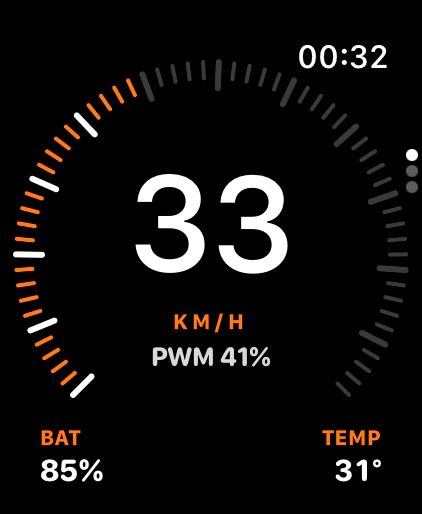
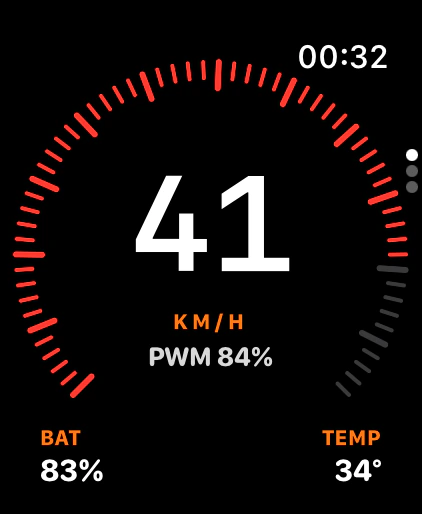
A precise tick dial around your speed.The ticks turn red and a ring pulses.
 EUC Remote
Coming soon
EUC Remote
Coming soon
Your wheel. On your wrist.
A standalone Apple Watch app for electric unicycles. The watch talks to your wheel over Bluetooth by itself, so your phone can stay home.
Coming soon
Standalone
EUC Remote connects to your wheel straight from the watch. No phone in your pocket. No relay app. Just you, the wheel, and your wrist.
The watch talks to the wheel over Bluetooth, straight from your wrist.
No relay and nothing in your pocket. Ride light.
Begode wheels come first, tested on a Begode Extreme. More brands are on the way.
Live dashboard
Speed in big numbers. PWM on a dial of 60 ticks. Battery and temperature in the corners. Live from the wheel, every moment of the ride.
33km/h
Big, clear numbers you can read at speed.
41%
60 ticks on a 270° arc. Amber from 70%, red from 80%.
85%
Your charge level, always in view.
31°C
Know when the wheel runs hot.
Your trip and your battery pack are one turn away.
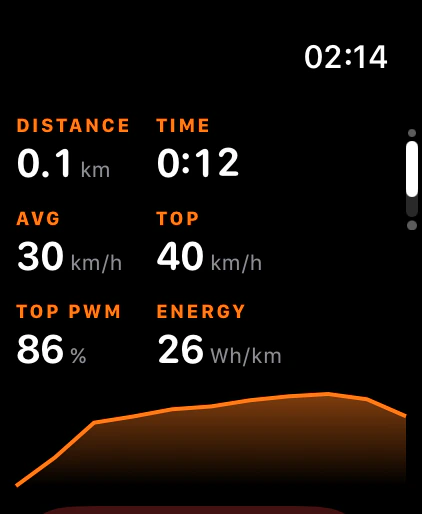
Distance, time, average and top speed, top PWM, and a speed graph.
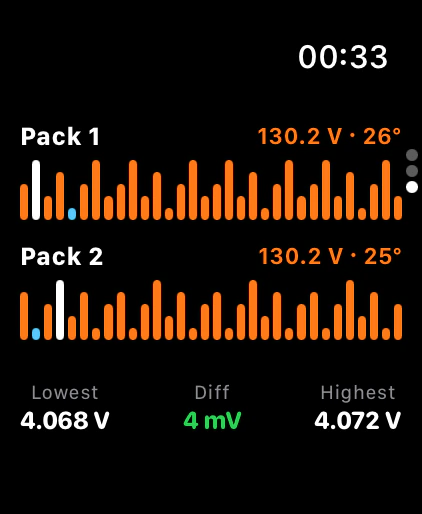
Both packs, cell by cell, with the lowest, the highest, and the difference.
Alarms
Every alarm has its own pattern of taps on your wrist and its own soft sound. The closer you get to the limit, the stronger it gets. You know what is happening without a look.
PWM
70%Caution
One tap as you cross it. The dial turns amber.
80%Danger
A tap every 0.7 s while you stay above. Red ticks and a pulsing ring.
90%Critical
A strong tap every 0.35 s. The ring pulses faster. Slow down now.
Ride
Speed limit
Two quick taps when you pass your limit.
Low battery
At 20%, then again at every 5% lower.
Temperature
One tap and two warm tones when the wheel runs hot.
Link lost
If the link drops while you ride: two strong taps every 2 s until it is back.
Set your own levels for PWM, speed, battery, and temperature in Settings.
Wrist down
Keep your hands where they belong. Each ride runs as a workout, so watchOS keeps the link to the wheel and every alarm alive with the screen off.
The ride keeps running while your wrist is down. Alarms reach you anyway.
When you finish, the ride is saved to Apple Health as a workout.
Three looks
Three looks for the same live data. Each one has its own way to warn you.
A precise tick dial around your speed.The ticks turn red and a ring pulses.
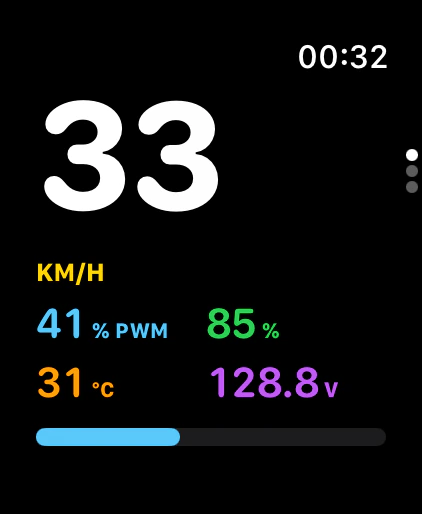
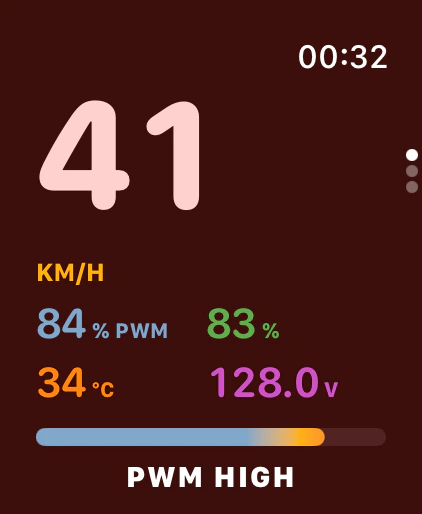
Big rounded numbers, one color for each metric.The screen turns red: PWM HIGH.
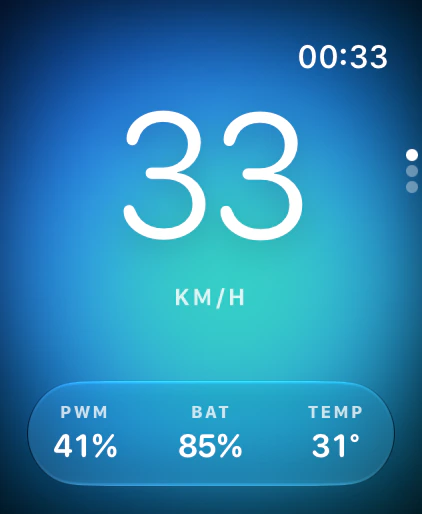
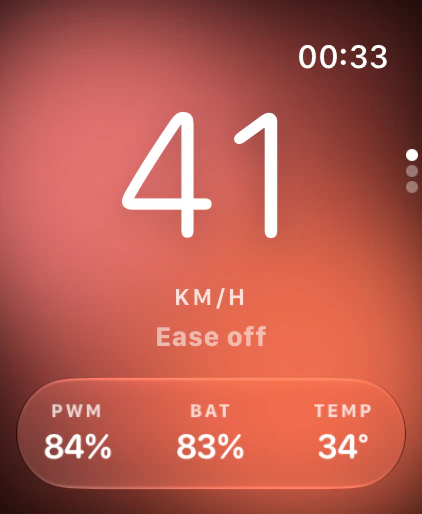
A soft color field behind frosted glass.The field turns red: Ease off.
What's next
The watch app is only the start. Here is what is coming next.
No. The watch connects to the wheel over Bluetooth by itself. Your phone can stay at home.
Begode wheels come first. EUC Remote is tested on a Begode Extreme. Support for KingSong, InMotion, Veteran (LeaperKim), Ninebot, NOSFET and more Begode models is coming, and each one ships as a beta first.
An Apple Watch with watchOS 26 or later.
Yes. Each ride runs as a workout, so the Bluetooth link and the alarms stay on with the screen off. Every alarm has its own pattern of taps and its own soft sound. When you finish, the ride is saved to Apple Health.
It is coming. The iPhone app will work on its own or together with the watch, and share live stats and ride history through iCloud.
EUC Remote is not on the App Store yet. It is coming soon.
Your own little remote for your EUC. Built for riders who want their phone at home and their eyes on the road.
Coming soon